Skip to content

surauEMKA

مَا زِلتَ طالبًا

Menu
  • Home
  • Pendidikan
  • Ke-NU-an
  • Bahtsul Masail
  • PKB
  • Kitab Kuning
    • Ihya Ulumiddin
    • Nashoihul Ibad
    • Idhotun Nasyiin
    • Jurumiyah
    • Alala
    • Akhlaq lil Banin
Menu

Linux News Today: ownCloud and Collabora Announce LibreOffice Online for ownCloud Server

Posted on December 15, 2015 by Manarul Ikhsan

Today, December 15, ownCloud, Inc. and Collabora have just announced a partnership to bring a new tool for LibreOffice and ownCloud users, based on the LibreOffice Online project and the robust, open-source ownCloud Server self-hosting cloud storage solution.

The two companies have been proud to announce the first preview of CODE (Collabora Online Development Edition), a tool designed to offer users a virtual machine containing the LibreOffice Online and ownCloud Server project, allowing them to edit office documents, such as word, spreadsheets, and presentations via the web-based interface of ownCloud.

This is not the first time we hear about LibreOffice Online for ownCloud, as we reported a few weeks ago that a group of independent developers were working on a so-called LibreOnline project. This was a version of LibreOffice Online transformed into an app that could be installed on the ownCloud server, but not as polished and mature as CODE.

We talked with Jos Poortvliet, ownCloud Community Manager, who exclusively told Softpedia that Collabora hired the team of developers behind the LibreOnline project to add more features to it and deploy LibreOffice Online for ownCloud on a mass scale. As such, we found out that the LibreOnline tool might soon disappear now that CODE was released.

“LibreOffice Online is what the name suggests – an online version of the well known LibreOffice suite of productivity apps. ‘Collabora and LibreOffice Online’ integrated into ownCloud Server brings these powerful productivity features to ownCloud users. No other cloud technology offers the quality of rendering LibreOffice brings to the browser and this development edition already offers a wide range of features, with more to come,” said the Collabora representatives.

Highlights of Collabora’s LibreOffice Online for ownCloud

The current state of the LibreOffice Online project comes up with a quite simple user interface, but the Collabora have developers managed to add more useful features to it, integrating its technologies into ownCloud’s web-based user interface. As this is a development preview of LibreOffice Online for ownCloud, Collabora promises to implement even more attractive functionalities to it in the near feature.

LibreOffice Online’s rendering capabilities are on par with the desktop version of the open-source and cross-platform office suite, which means that the documents edited on the LibreOffice desktop client will look the same when viewed online via the LibreOffice Online for ownCloud application. It supports all the common elements embedded in the documents, including images, graphics, text styles, tables, and word-art.

The main difference between LibreOffice Online and other offerings that are available on the market is that the former uses the same rendering engine for displaying documents online, which means that, practically, users won’t notice any changes in their documents when they continue their work online or vice-versa.

ownCloud users interested in trying out Collabora’s LibreOffice Online Development Edition can grab a copy right now from the company’s website, but you can also install LibreOffice Online on your ownCloud Server if you follow the instructions provided by the project’s developers in the “Collabora and LibreOffice Online” GitHub repository.

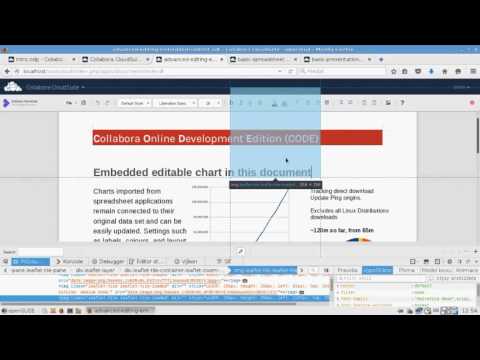
LibreOffice Online for ownCloud

LibreOffice Online for ownCloud

Play Video

Via Softpedia

Recent Posts

  • Fiqh Puasa Syiah – Kelonggaran Dalam Niat Puasa
  • Terjemah Kitab Ihya Ulumiddin Part 44 – Keutamaan Menyampaikan Kebaikan
  • Fiqh Puasa Syiah – Niat Puasa Tetap Sah Meski Siang Hari
  • Terjemah Kitab Ihya Ulumiddin Part 43 – Keutamaan Ilmu Dibanding Menyampaikan Sebuah Hadis yang Baik
  • Terjemah Kitab Ihya Ulumiddin Part 42 – Keutamaan Mendoakan Pengajar Kebaikan
  • Terjemah Kitab Ihya Ulumiddin Part 41 – Keutamaan Mengingat Allah dan Menuntut Ilmu di Dunia
  • Terjemah Kitab Ihya Ulumiddin Part 40 – Keutamaan Berbagi Ilmu dan Hikmah kepada Sesama Muslim
  • Terjemah Kitab Ihya Ulumiddin Part 39 – Bahaya Menyembunyikan Ilmu Agama
  • Terjemah Kitab Ihya Ulumiddin Part 38 – Cara Allah Mencabut Ilmu dari Dunia
  • Terjemah Kitab Ihya Ulumiddin Part 37 – Keutamaan Ilmu yang Bermanfaat bagi Orang Lain
  • Terjemah Kitab Ihya Ulumiddin Part 36 – Keutamaan Mengajarkan Ilmu dan Mengamalkannya
  • Terjemah Kitab Ihya Ulumiddin Part 35 – Keutamaan Dakwah dan Mengajak kepada Jalan Allah
  • Terjemah Kitab Fathul Qarib Sholat Jumat (Part 10): Adab Masuk Masjid Saat Imam Sedang Khutbah Jumat
  • Terjemah Kitab Fathul Qarib Sholat Jumat (Part 9): Adab Mendengarkan Khutbah dan Pengecualiannya
  • Terjemah Kitab Ihya Ulumiddin Part 34 – Kewajiban Menyampaikan Ilmu dan Larangan Menyembunyikannya
  • GNOME Founder Attacks Omarchy Founder as “Lazy, Racist, Ignorant”
  • Why I Stopped Using Plain Command Line Docker and Use Portainer 3.0 To Make My Home Projects Fun Again
  • Why I Switched to a Proper Firewall Box with OPNSense for My Homelab Stuff
  • Fixing Windows Error 0x80070005 Hyper-V Export Access Denied Error the Right Way
  • Fixing Hyper V Export Errors and Building a Better Virtual Machine Setup (error 0x80070002, 0x80070005)
  • Fixing the Dreaded Windows Audio Service Stuck on Stopping Error
  • Windows SIM Error, Unknown error 0xc1420127
  • How I’m Building a Cat Breeding Management App with Python Qt6 + Microsoft Litebox, in 1 Week
  • Why Windows Keeps Nuking Your GPU Drivers (And How to Take Back Control)
  • Why I Finally Ditched Mainstream Windows Cleaners (And Why I Use ‘Kudu’ Instead)
  • Canonical: Ubuntu coming soon to Snapdragon X2 Series platforms
  • Finally, wolfSSL adds post-quantum algorithms!
  • How to Run Gemma Embedding Models Using Docker
  • Deploy Nginx Rootful Container with Podman
  • How to Sandboxing Browser on Linux Desktop with Flatpak
  • How to Hardening Journald on Linux Server (Fedora/AlmaLinux)
  • Block Bad USB on Linux Server with USBGuard
  • How to Secure NetworkManager on Fedora/AlmaLinux
  • How to Secure DNS and NTP in Fedora Linux
  • How to Hardening DNF on Fedora/Almalinux
  • Prompt AI: Impressionist Portrait Art of a Woman
  • Prompt AI: Stylish Man Walking Double Exposure Photo
  • Trying Nemotron 3.5 Super VL: NVIDIA’s Open Multimodal Model Built for Agents That Actually See and Act
  • Pruna AI Release their Qwen-Image 2.1 LoRA Adapter, 6x Faster than Regular Qwen
  • The Rise and Fall of the Coding Holy Grail: Is Stack Overflow Just AI Fuel Now?
  • Zyphra is The Pioneer, Why Everyone is Suddenly Obsessed with AMD and Not Just Nvidia Anymore
  • Stop Trusting Your Prompts to Save Your Business Data
  • How to Automate Your Entire SEO Strategy Using a Swarm of 100 Free AI Agents Working in Parallel
  • How to create professional presentations easily using NotebookLM’s AI power for school projects and beyond
  • How to Master SEO Automation with Google Gemini 3.1 Flash-Lite in Google AI Studio
RSS Error: WP HTTP Error: A valid URL was not provided.

Categories

  • Akhlaq lil Banin
  • Alala
  • Alfiyah Ibnu Malik
  • Apple
  • Bahtsul Masail
  • Bughyatul Mustarsyidin
  • Cerita
  • Download
  • Fathul Qarib
  • Fiqh Syiah
  • Gusdur
  • Idhotun Nasyiin
  • Ihya Ulumiddin
  • Ilmu Umum
  • Jurumiyah
  • Ke-NU-an
  • Kitab Kuning Politik
  • Linux
  • Nashoihul Ibad
  • Pendidikan
  • PKB
  • Review
  • Tokoh
  • Tsaquful Akhyarin Nahdliyah
  • Tutorial
  • Uncategorized
©2026 surauEMKA | Design: Newspaperly WordPress Theme